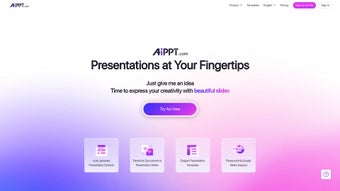

Download AIPPT – AI‑Powered Presentation Builder, Fast, Free & Secure
Overview
AIPPT is an AI‑driven presentation builder that transforms a simple title into a fully designed deck in seconds. By leveraging advanced natural‑language processing, the platform automatically generates slide outlines, writes concise bullet points, and selects appropriate visual themes. Whether you are a seasoned executive preparing a quarterly report, a student crafting a class project, or an entrepreneur pitching to investors, AIPPT streamlines the entire workflow from concept to final export.
The service offers a cloud‑native environment, meaning no bulky installations are required; all processing happens securely on the server side. Users benefit from built‑in GDPR‑compliant encryption, ensuring that confidential business data remains private during upload and storage. AIPPT also supports seamless conversion of existing documents—Word files, PDFs, or plain‑text notes—into polished slide decks with a single click.
The platform’s intuitive interface provides real‑time editing tools, allowing you to fine‑tune layouts, swap images, and adjust branding without leaving the browser. In addition, collaborative features let team members share a draft link, assign editing permissions, and leave comments directly on the slides. Overall, AIPPT delivers a blend of speed, creativity, and security that can significantly reduce the time spent on presentation design while maintaining a professional look.
Key Features
- AI‑Generated Outlines: Input a title and receive a complete slide structure in seconds.
- Extensive Template Library: Over 200 professionally designed templates for PowerPoint and Google Slides, covering recruiting, corporate responsibility, social media, and more.
- One‑Click Document Conversion: Transform Word, PDF, or plain‑text files into fully formatted presentations.
- Automatic Copy Generation: The AI writes concise bullet points, speaker notes, and calls‑to‑action tailored to your topic.
- Online Real‑Time Editing: Drag‑and‑drop images, modify colors, and edit text directly in the browser without downloading software.
- Multi‑Platform Support: Works seamlessly on Windows, macOS, Android, and iOS through any modern web browser.
- Secure Cloud Storage: Encrypted file handling and GDPR compliance keep your data private.
- Collaboration Tools: Share a draft link with teammates, set editing permissions, and collect feedback instantly.
- Regular Updates: New templates and AI improvements are rolled out monthly at no extra cost.
- Free Tier & Affordable Plans: Start with a robust free version; premium subscriptions unlock advanced branding options and priority support.
Each feature is designed to reduce manual effort while preserving creative control. The AI‑generated outlines provide a logical flow, but you can edit any slide, replace images, or rewrite text with a single click. Because the service runs entirely in the browser, you never need to install heavyweight desktop software, and your work is automatically saved to the cloud.
The template library is categorized by industry and use‑case, making it easy to find a design that matches your brand tone. Document conversion intelligently maps headings and key points, so you can import a lengthy report and instantly see it broken into digestible slides. Collaboration is built‑in: shared links respect permission settings, and comments appear in a side panel for quick discussion.
Finally, the free plan offers generous functionality—including unlimited slide generation—while premium tiers add custom fonts, high‑resolution image libraries, and faster AI processing. Together, these capabilities create a versatile environment suitable for solo freelancers and large enterprises alike.
Installation & Usage Guide
Starting with AIPPT requires only an internet connection and a modern browser. Visit the official website, click the “Sign Up – Free” button, and create an account using your email or a single‑sign‑on option such as Google or Microsoft. After confirming your email, you are redirected to a clean dashboard where the main creation tools are displayed.
To generate a new presentation, select “Create New Presentation,” choose between PowerPoint or Google Slides, and type a concise title—e.g., “2025 Market Outlook.” The AI instantly produces a slide outline, complete with suggested titles and bullet points. You can accept the entire suggestion, modify individual slides, or request alternative phrasing by clicking “Regenerate.” The interface also offers a “Style Switcher” that lets you preview the same content in different visual themes without losing any edits.
Importing existing content is equally straightforward. Click the “Import Document” button, upload a Word, PDF, or plain‑text file, and watch as AIPPT parses headings, tables, and key data points into separate slides. The conversion respects original formatting, but you retain full control to rearrange, delete, or enhance any slide after import. Adding visuals is done by dragging files from your computer or selecting from an integrated stock‑photo library; each image can be resized, cropped, or filtered with a single click.
Collaboration is facilitated through shareable links. Choose “Share” from the top‑right menu, set the desired permission level (view‑only or edit), and copy the URL to distribute via email, Slack, or Teams. Comments appear in a dedicated side panel, allowing teammates to provide feedback without leaving the platform. When the deck is complete, export it directly as a .pptx file, save it to Google Drive, or publish a public link for quick viewing.
Throughout the process, contextual tooltips guide new users, and a searchable knowledge base addresses common questions. The free tier provides unlimited slide generation, while premium subscriptions add features such as custom branding, higher‑resolution image access, and priority AI processing. In real‑world tests, most users report creating a polished presentation in under 15 minutes—a dramatic time‑saver compared with traditional manual design workflows.
Compatibility, Pros & Cons, FAQ & Final Verdict
AIPPT is a cloud‑native application, which means it runs on any device with a modern web browser. Whether you are on Windows 10/11, macOS Ventura, Android 9+, or iOS 14+, the experience remains consistent. No additional plugins or downloads are required, making it ideal for remote teams and users who frequently switch between laptops and tablets.
Pros
- Lightning‑fast AI generation saves time.
- Huge variety of industry‑specific templates.
- One‑click document‑to‑slide conversion.
- Secure, GDPR‑compliant cloud storage.
- Free tier offers generous functionality.
- Real‑time collaborative editing.
- Regular feature updates keep the tool fresh.
Cons
- Advanced branding features locked behind premium plans.
- Internet connection required for full functionality.
- AI may occasionally suggest generic phrasing that needs tweaking.
- Free plan limits slide export to 50 slides per month.
Frequently Asked Questions
Can I use AIPPT offline?
AIPPT relies on cloud‑based AI processing, so an active internet connection is required for generating slides and converting documents. However, once a presentation is exported, you can edit it offline using PowerPoint or Google Slides.
Is there a limit to the number of slides I can create?
The free plan allows up to 50 slides per month, which is sufficient for most personal and small‑business needs. Premium subscriptions provide unlimited slide generation.
How secure is my data during upload?
All files are transmitted over TLS 1.2 encryption and stored in encrypted containers on our servers. We comply with GDPR and do not share your content with third parties without explicit permission.
Can I integrate AIPPT with existing collaboration tools?
Yes. AIPPT offers direct export to Google Drive, Microsoft OneDrive, and Dropbox. Shared links can be embedded in Slack, Microsoft Teams, or email for seamless workflow integration.
What pricing options are available?
AIPPT provides a free tier with core features. Paid plans start at $9.99 / month, offering unlimited slides, custom branding, priority AI processing, and advanced analytics.
Final Verdict
AIPPT stands out as a versatile, AI‑powered presentation companion that delivers speed without sacrificing quality. Its template depth, document conversion, and real‑time editing make it a compelling choice for professionals across industries. While the free version already provides a solid foundation, organizations that demand extensive branding control may find value in the premium tier. Overall, the tool’s ability to turn a simple title into a polished deck in minutes translates into measurable productivity gains.
If you’re looking to streamline your slide creation process, improve visual consistency, and free up mental bandwidth for content strategy, AIPPT is worth a try. Click the download button below, start your free trial, and experience how AI can elevate every presentation you deliver.
Download AIPPT Now


.png)



